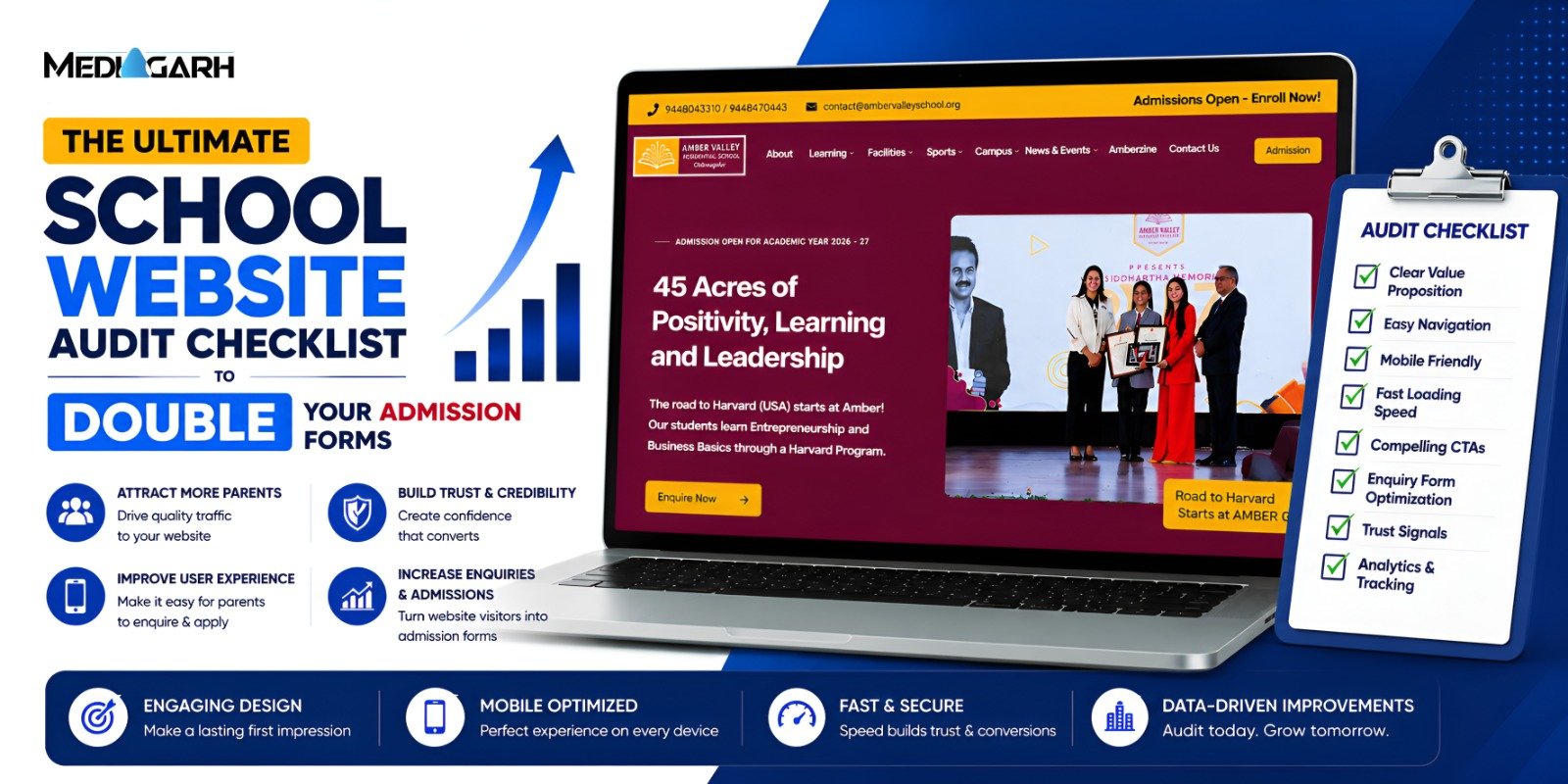
Has your school invested in building a website? If yes, you have an important question to answer: does website traffic lead to admissions? If your answer to this question is “no” or “yes, but very little,” your website is facing a conversion crisis. You have to understand that your website isn’t a digital brochure. Only putting information there won’t generate admissions. If it were to be compared, your website should function more like a 24/7 admissions counsellor. It should guide parents, build trust, and encourage enquiries. However, a bad website completely beats the purpose. In this guide, we’ll outline a complete audit checklist that will help in identifying website issues that might be costing you admission enquiries.
How to Use This Audit
Before starting, you should clearly understand how to use this audit. The following audit will mention a list of questions. For every “yes,” give yourself one point. At the end, sum all the points. The final score will decide your website’s health.
Category 1: First Impression Audit
The major question of this category is:
Can Parents Understand Your School in 5 Seconds?
This test is popularly referred to as the 5-Second Test, and is an essential part of UI UX design for educational websites.
☐ Is your school’s value proposition immediately visible?
Mentioning your name in the top headline won’t add any value for the visitor. Mention your USP directly, and establish what makes your school different from others.
Bad Example: Welcome to XYZ School
Better Example: A CBSE School Where Your Child Feels At Home
☐ Is there an admission-focused CTA above the fold?
Most parents will only see the first fold (i.e., the first thing that they land on) of your school’s website. If you don’t guide them with an admission call-to-action (CTA), you lose them quickly. Use CTAs like:
- Apply Now
- Schedule a Visit
- Enquire Today
☐ Is your homepage free from clutter?
Putting too much on your homepage does not act as valuable information. It is a distraction for the visitor. Too many menus, banners, and options create confusion. Keep it focused, and only mention what is extremely valuable for the parent, and provide CTAs for submitting an inquiry.
☐ Are you using authentic school images?
Stock photos are an instant put-off. Ensure that you use authentic images of your school that show real classrooms, students, teachers, and campus environments. Authenticity = Trust
☐ Can parents immediately identify basic information?
Information like board affiliation, grades offered, and location shouldn’t be hard to find. It should be intuitive for parents to find such essential information, and the website should not create unnecessary friction.
Category 2: Mobile Experience Audit
Most of the parents will visit your website on a mobile device. This makes it crucial for schools to optimize their website for smaller devices.
☐ Does the website display properly on mobile devices?
If your website is all over the place on mobiles, it gives a bad first impression. Check:
- text alignment,
- image sizing,
- navigation menus.
☐ Are buttons easy to tap?
Keep the buttons sufficiently large. Small buttons are hard to tap on mobile devices.
☐ Is the text readable without zooming?
Parents won’t make the effort to pinch and read your insanely small text. The text should be visible to the naked eye.
☐ Does the enquiry form work smoothly on mobile?
Difficult-to-fill Forms = Lost Enquiries
☐ Is your contact number clickable?
Add a “tel:+919358934407” as a hyperlink on the mobile number on your website, where you replace it with your phone number. This would make the number clickable and take them directly to the phone app.
☐ Is WhatsApp integrated?
WhatsApp has become the primary text messaging platform for everyone. A visible WhatsApp button on the website makes it easy for parents to connect with you.
Category 3: Website Speed Audit
Every second your website takes to load, the chances of losing visitors increase by 32%. This insight makes it an essential audit component for website design & development services.
☐ Does your website load in under 3 seconds?
You will lose 50% of the visitors if your website doesn’t load under 3 seconds. Ensure that it does.
☐ Are images optimized?
WebP ✅
PNG, JPG ❌
☐ Have you checked website speed recently?
Visit PageSpeed Insights by Google and check your website speed.
☐ Do pages load quickly on mobile internet?
Mobile internet speed is generally slower than Wi-Fi. Test your website’s speed on mobile data as well. It might need more optimizations.
☐ Are there any broken pages or links?
Broken experiences reduce trust instantly.
Category 4: Trust Audit
As we said, your website is a trust magnet. It should do that job diligently.
☐ Are parent testimonials visible?
Parents trust parents. Real testimonials will nudge a lot of inquiries.
☐ Are Google Reviews highlighted?
Google reviews are highly respected by parents. Show the best ones on your website.
☐ Are awards and recognitions displayed?
Accreditations, awards, and affiliations strengthen credibility.
☐ Are faculty credentials showcased?
Parents want to be introduced to the teachers who will guide their children.
☐ Are student achievements visible?
Show what visitors’ children can achieve through academic success, competitions, sports achievements, and extracurricular accomplishments of current students.
☐ Is there recent activity on the website?
Keep your website dynamic, and keep pushing new activities for preventing outdating.
Content 5: Admission Conversion Audit
Let’s understand the components that directly affect admissions.
☐ Do you have a dedicated admissions page?
A page for admissions information should be accessible to parents.
☐ Is the admission process clearly explained?
Explain every minute detail simply:
- Enquire
- Visit
- Apply
- Confirm admission
☐ Is your enquiry form short?
No point in asking unnecessary questions. Keep the form short and ask only for:
- Parent Name
- Phone Number
- Child’s Grade
Form Length ↑ ∝ Form Submissions ↓
☐ Are CTAs repeated throughout the website?
One CTA makes it difficult for parents to move to the next step. Put it everywhere a visitor would need intuitively.
☐ Can parents book a campus visit easily?
Campus visits are often one of the strongest admission conversion drivers.
☐ Is there a visible WhatsApp CTA?
Conversations first, conversions later. That’s the motto.
☐ Does every key page offer a path to enquire?
Your website should guide parents to the next step—doesn’t matter the page.
Category 6: Content Audit
Good content predicts parents’ objections and handles them beforehand.
☐ Does your website address common parent concerns?
Common parent concerns include:
- Safety
- Transportation
- Academics
- Facilities
- Student Support
☐ Is there an FAQ section?
The FAQ section is the best for objection handling.
☐ Do you publish fresh content regularly?
Content should be refreshed every 3-6 months. And it should be updated every 1-2 years.
☐ Are admission-related questions addressed proactively?
Generally, parents try to find the fee structure, curriculum, admission timelines, and eligibility criteria. Your website should provide easy navigation for these.

Quick Summary
| Questions ↓ / Audit → | First Impression | Mobile Experience | Website Speed | Trust | Admission Conversion | Content |
| I | Is there an admission-focused CTA above the fold? | Does the website display properly on mobile devices? | Does your website load in under 3 seconds? | Are parent testimonials visible? | Do you have a dedicated admissions page? | Does your website address common parent concerns? |
| II | Is your homepage free from clutter? | Are buttons easy to tap? | Are images optimized? | Are Google Reviews highlighted? | Is the admission process clearly explained? | Is there an FAQ section? |
| III | Are you using authentic school images? | Is the text readable without zooming? | Have you checked website speed recently? | Are awards and recognitions displayed? | Is your enquiry form short? | Do you publish fresh content regularly? |
| IV | Can parents immediately identify basic details? | Does the enquiry form work smoothly on mobile? | Do pages load quickly on mobile internet? | Are faculty credentials showcased? | Are CTAs repeated throughout the website? | Are admission-related questions addressed proactively? |
| V | Is your contact number clickable? | Are there any broken pages or links? | Are student achievements visible? | Can parents book a campus visit easily? | ||
| VI | Is WhatsApp integrated? | Is there recent activity on the website? | Is there a visible WhatsApp CTA? | |||
| VII | Does every key page offer a path to enquire? |
Calculate Your Score
Based on the number of checks you received in the audit, check your score.
| Points | Website State | Remarks |
| 25-30 | Excellent | Your website is functioning as an effective admission generation tool. |
| 18-24 | Good Foundation | Your website has potential but likely contains conversion gaps. |
| 10-17 | Admissions Risk | You are probably losing a significant number of enquiries. |
| <10 | Urgent Attention Required | Your website may be actively reducing admission opportunities. |
Final Thoughts
A beautiful website won’t generate admissions. A clear website does. That’s the learning of the top education marketing company. Your website is critical for your admission efforts, and a deep audit should be conducted periodically. The audit mentioned in this guide can be your first step toward turning more website visitors into admissions enquiries.